Back up and move to a new phone

There's no cloud, so a backup file is your only copy outside the phone.
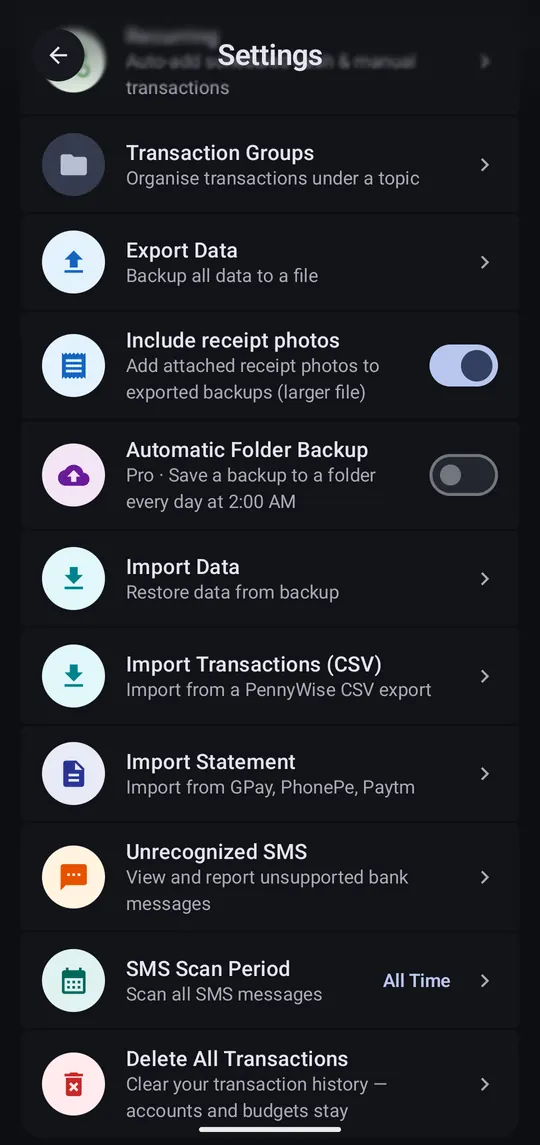
  1. Back up

    Step 1 of 2

    Back up

    Settings → Export Data saves one file with everything. Keep it on Drive, email or a computer.

  2. Restore on the new phone

    Step 2 of 2

    Restore on the new phone

    Install PennyWise, finish setup, then Settings → Import Data and pick the file. Pro comes with it.

Good to know

Automatic Folder Backup
Saves a backup to a folder you choose every night at 2 AM (Pro).
Include receipt photos
Adds attached receipts to the backup. Bigger file.
SMS Scan Period
Scan everything, or only messages after a date.
Delete All Transactions
Start over. Accounts and budgets stay.