Track money you lend to friends and money you borrow, including partial repayments.
Step 1 of 6
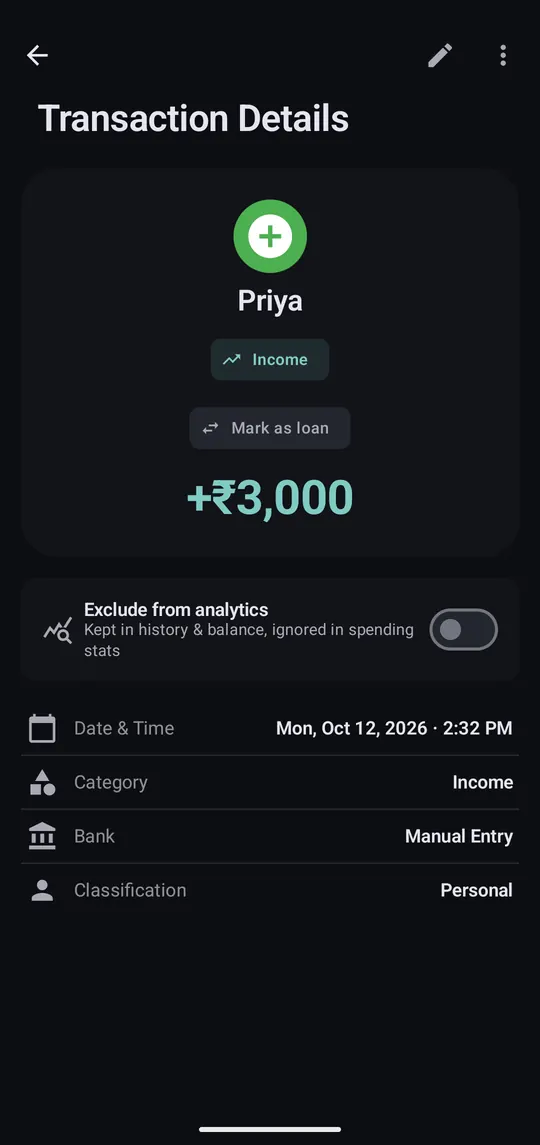
Open the payment you made for them, or the money they sent you, and tap Mark as loan. No transaction yet? Add one first.
Step 2 of 6
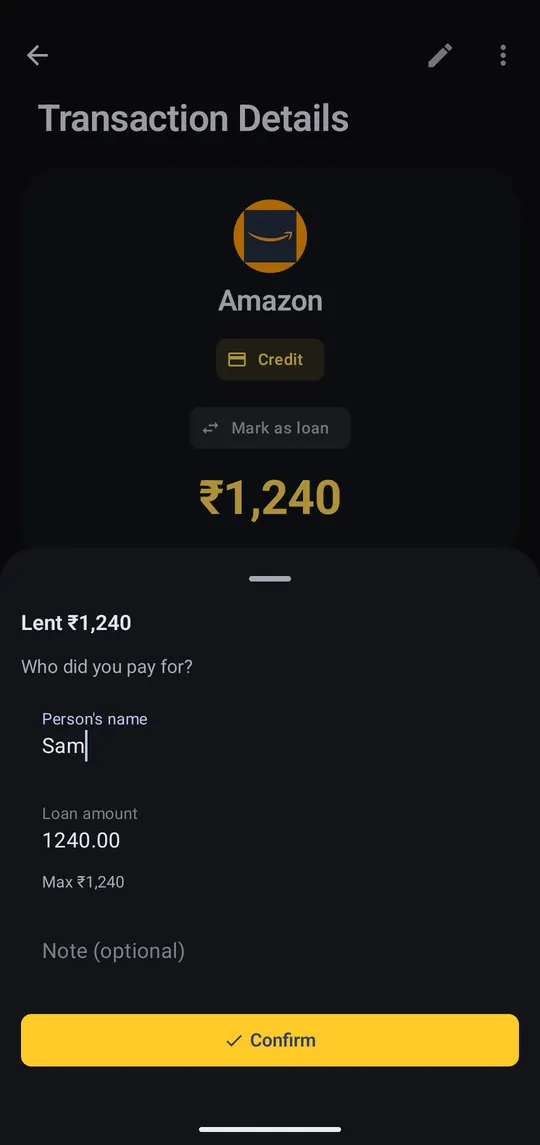
On money you paid out, it asks who you paid for. Enter their name and how much they owe; it can be less than the full amount.
Step 3 of 6
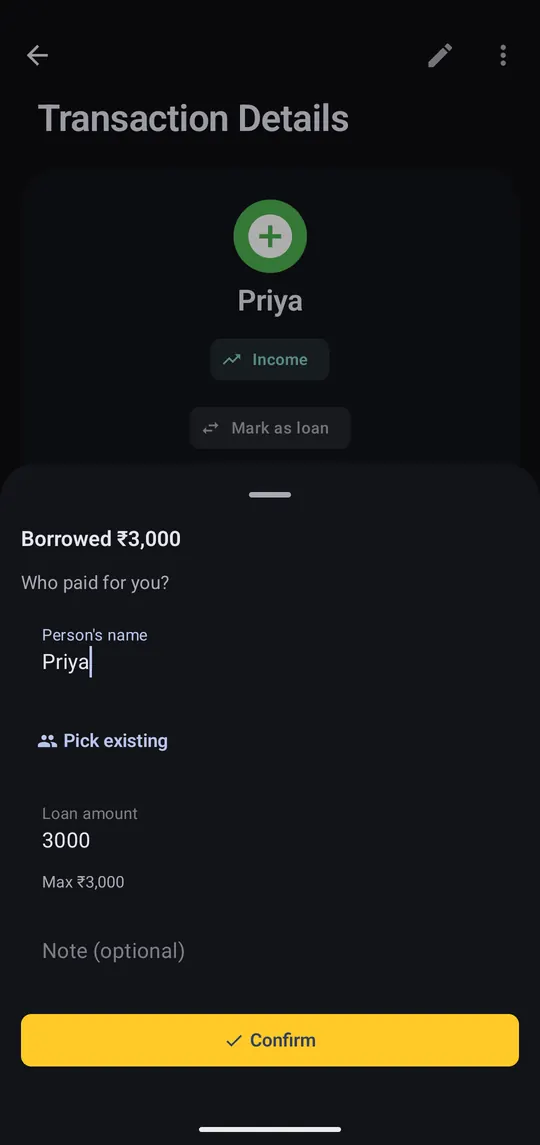
On money you received, it becomes a loan you owe: “Who paid for you?” Enter the name and Confirm.
Step 4 of 6
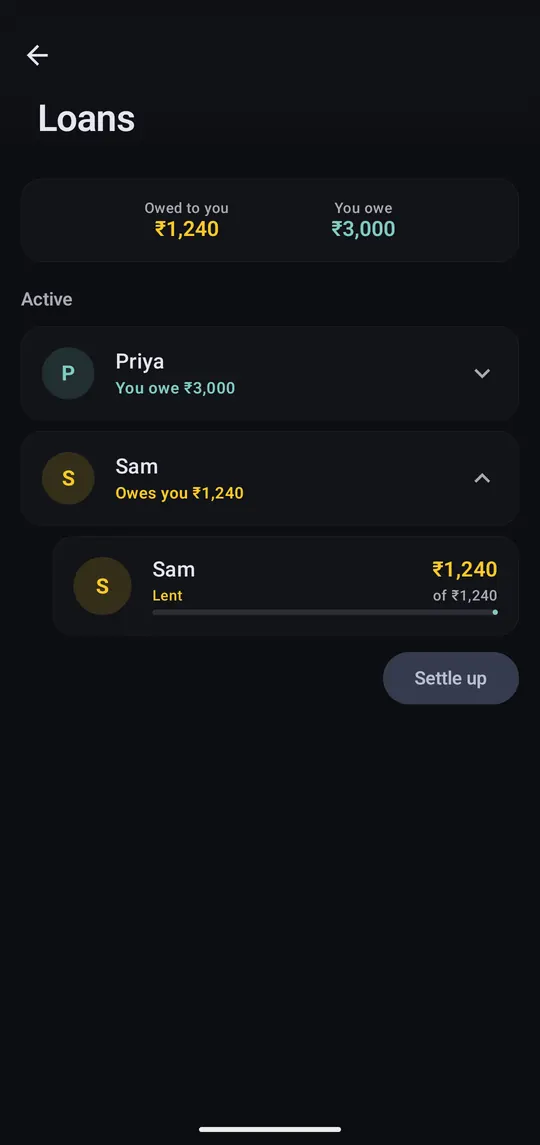
Settings → Loans totals what you're owed and what you owe, person by person. Settle up clears everything with one person.
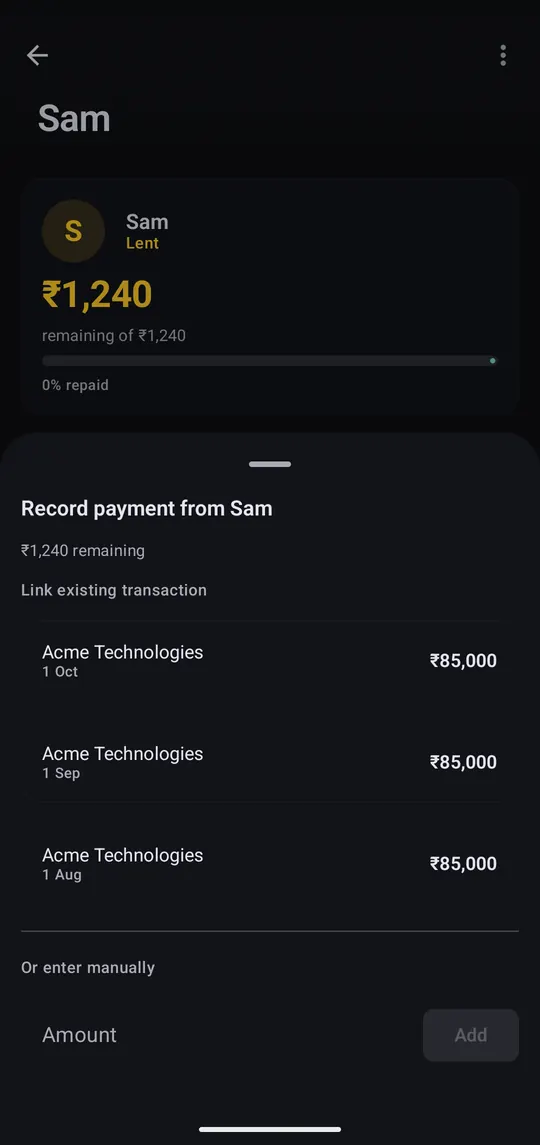
Step 5 of 6
Open a loan and tap +. Link the transaction they paid you back with, or type the amount under Or enter manually.
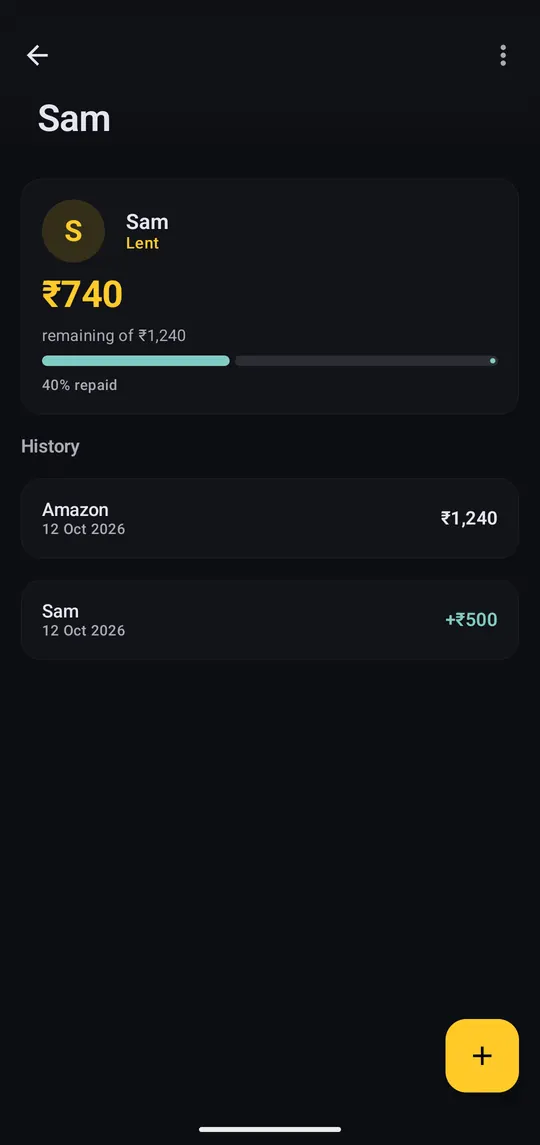
Step 6 of 6
History lists every payment. Partial repayments are fine, and the loan settles itself when it reaches zero. ⋮ settles early, changes the amount expected back, or deletes it.
Loans stay out of your totals: lent money isn't spending, borrowed money isn't income, and repayments aren't either, so your monthly numbers stay honest.
Paid back by UPI? Marking that incoming payment as a loan with the same person's name records it as a repayment automatically.
Settle a loan you lent for less than you're owed and the unpaid part counts as spending in the month you settle it.
Each loan is in one currency. There are no due dates or interest yet. Active loans also show on Home, which you can hide with Edit home screen.
