For money you pay on a schedule that no SMS will report.
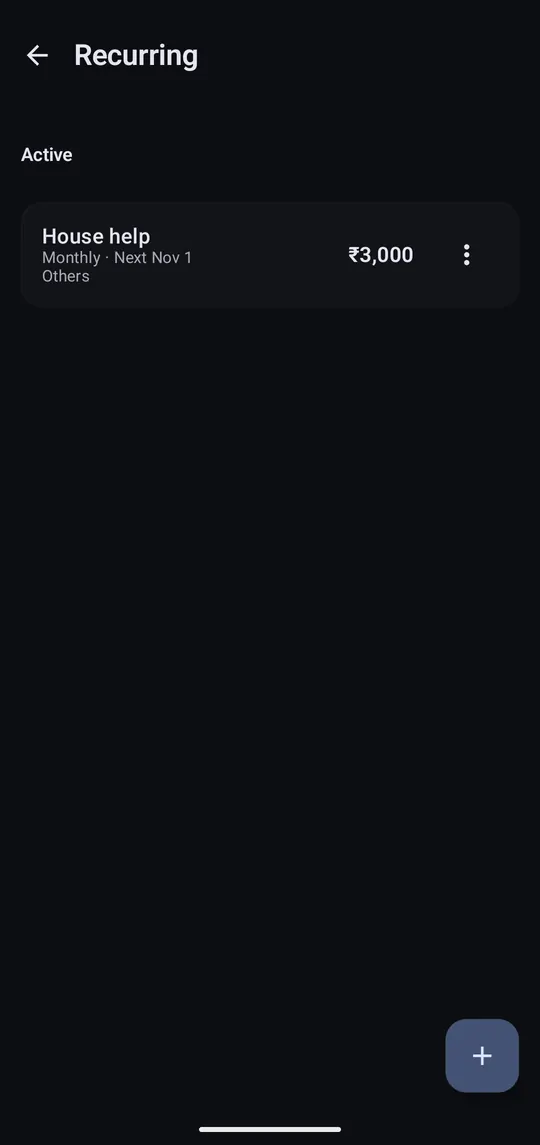
Step 1 of 3
Settings → Recurring, then tap +.
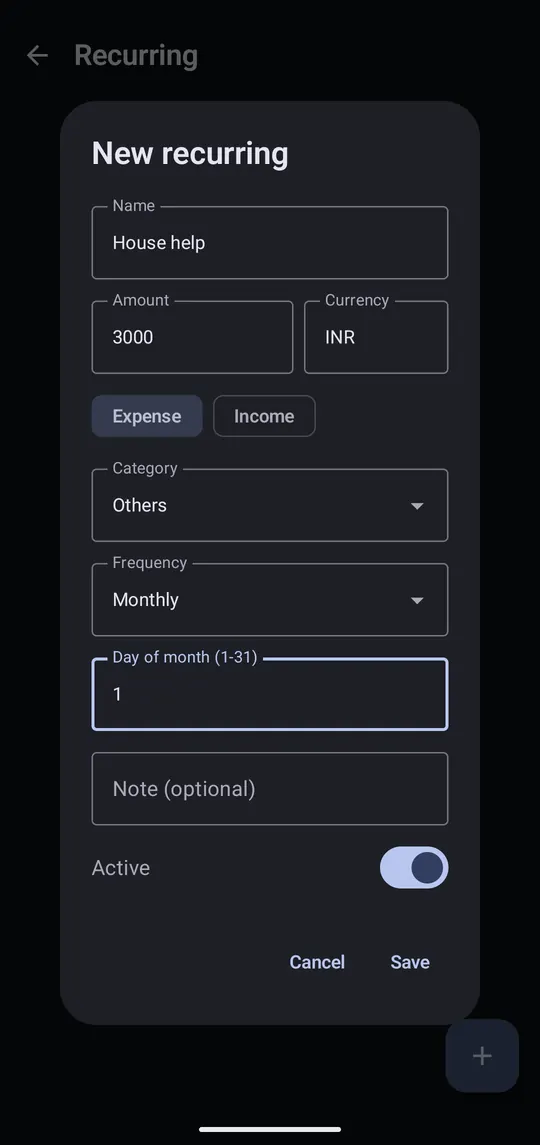
Step 2 of 3
Name it, enter the amount and pick the day of the month. Tap Save.
Step 3 of 3
On that day each month the transaction is added for you.
Free accounts get one recurring transaction; Pro is unlimited.
