For cash, or a bank PennyWise can't read yet.
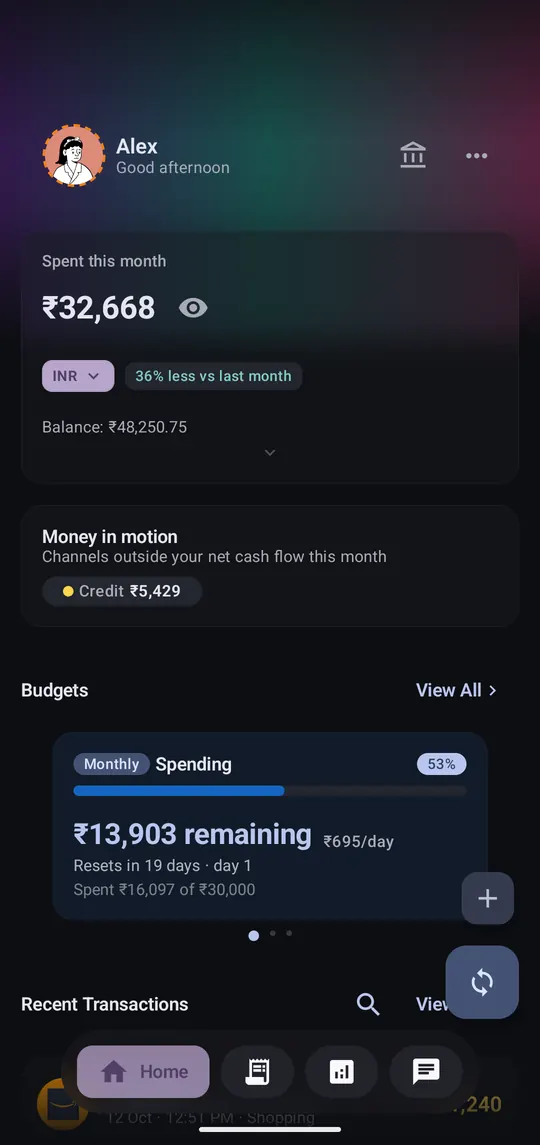
Step 1 of 5
From Home or Transactions, the + button opens the add screen.
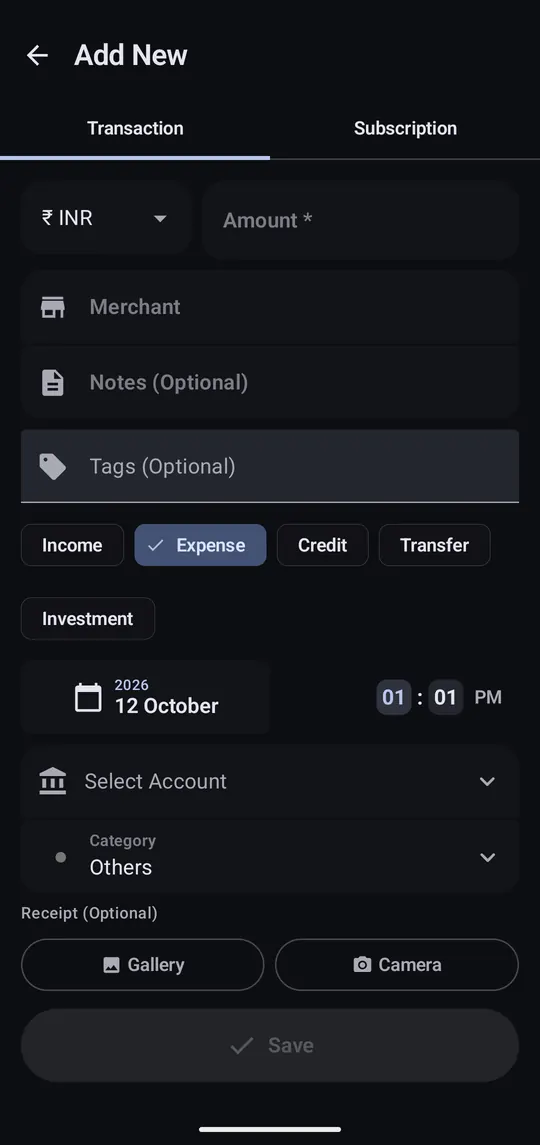
Step 2 of 5
Type the amount, then a merchant like “Chai stall”. Expense is already selected.
Step 3 of 5
Choose where it belongs so budgets and analytics stay accurate.
Step 4 of 5
That's it. It now counts toward this month's spending.
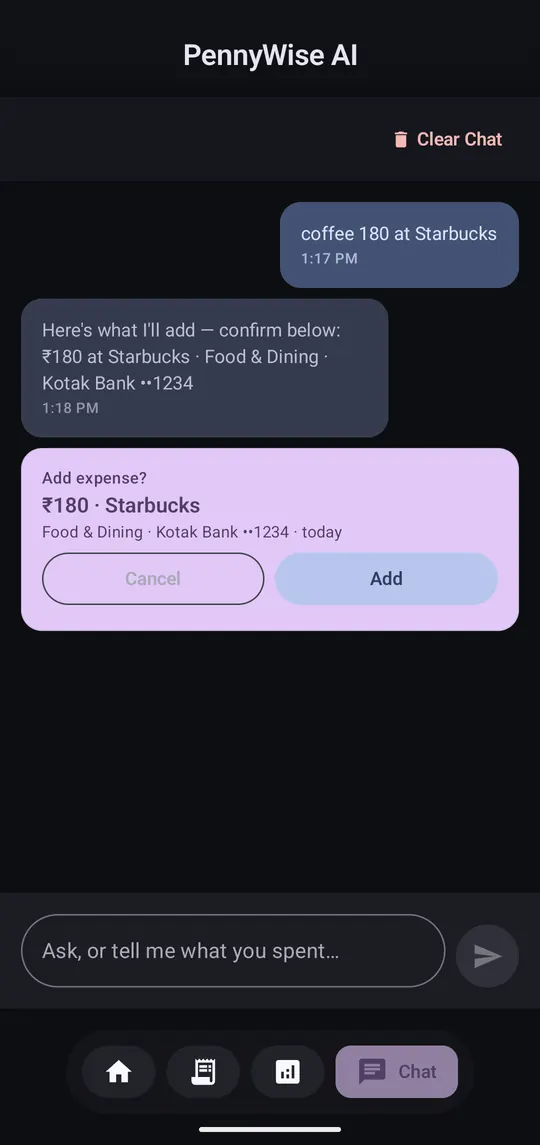
Step 5 of 5
In the Chat tab, write “coffee 180 at Starbucks” and tap Add on the card.
The Add Transaction widget and Quick Settings tile open the same form. You can also share a message from another app to PennyWise and it fills the form for you.
