Free vs Pro

Almost everything is free. Pro lifts a few limits and pays for new banks and features.
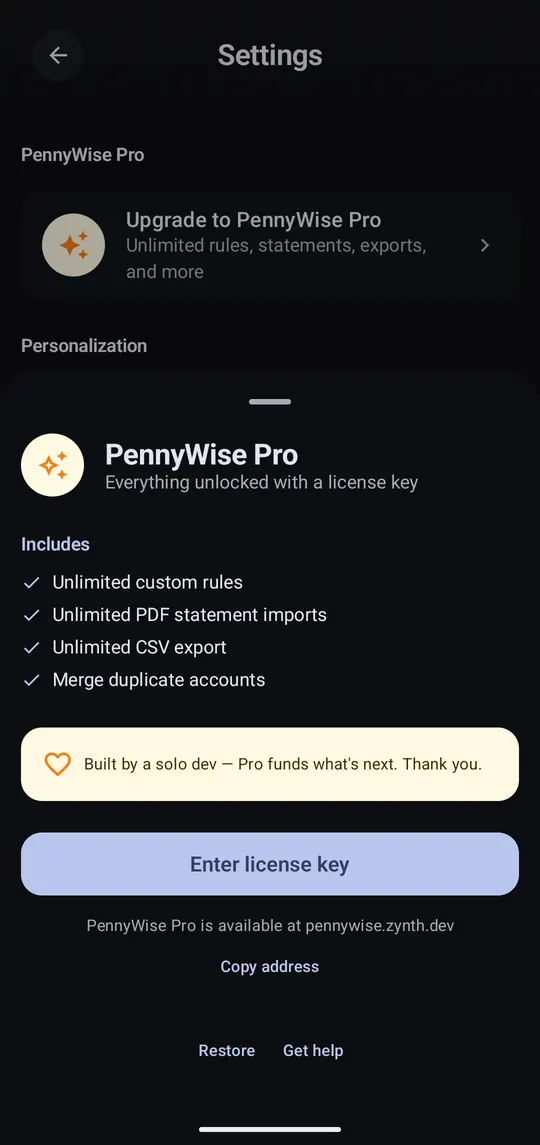
  1. Open PennyWise Pro

    Step 1 of 2

    Open PennyWise Pro

    Settings → Upgrade to PennyWise Pro, then tap Enter license key.
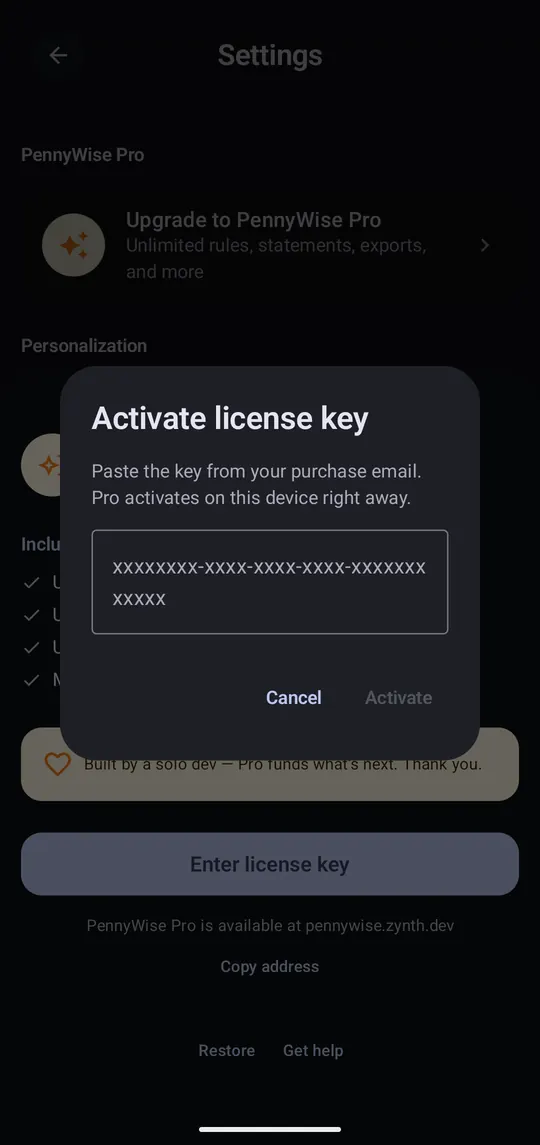
  2. Paste your key

    Step 2 of 2

    Paste your key

    Paste the key from your purchase email and tap Activate. Pro turns on right away.

Good to know

FreePro
Smart Rules3Unlimited
PDF statement imports1 a monthUnlimited
CSV export100 rows a monthUnlimited
Recurring transactions1Unlimited
Folder backup, merge accounts, tag analytics, webhooksNoYes
Claude, ChatGPT and the dashboardNoYes

Buy a key on the Pro page. F-Droid builds include every Pro feature for free.