Ask Claude or ChatGPT about your spending, or see it on a computer. Your data is stored only on your phone; each answer is sent to the app that asked.
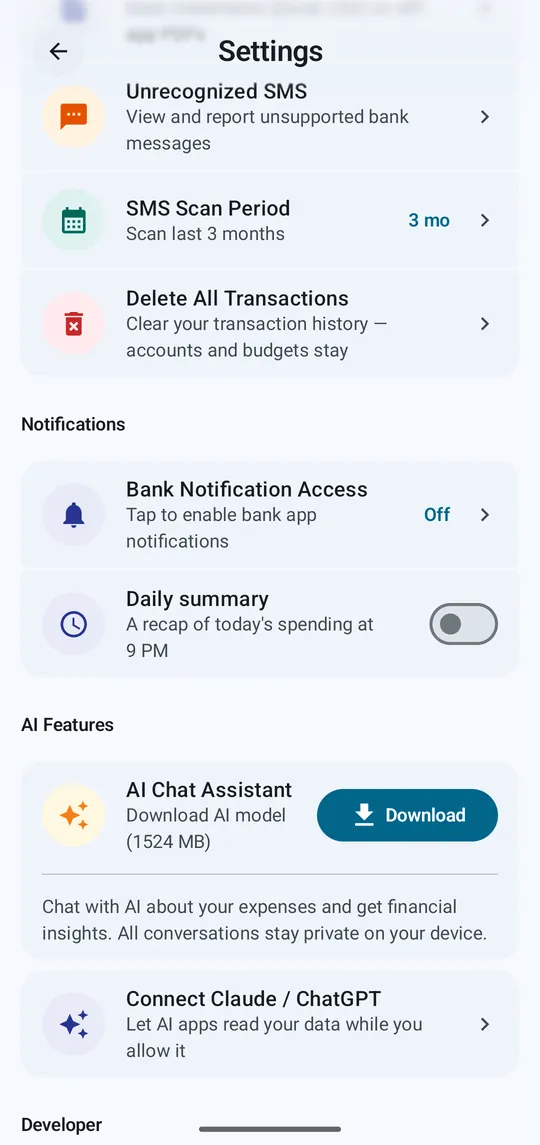
Step 1 of 4
Settings → Connect Claude / ChatGPT.
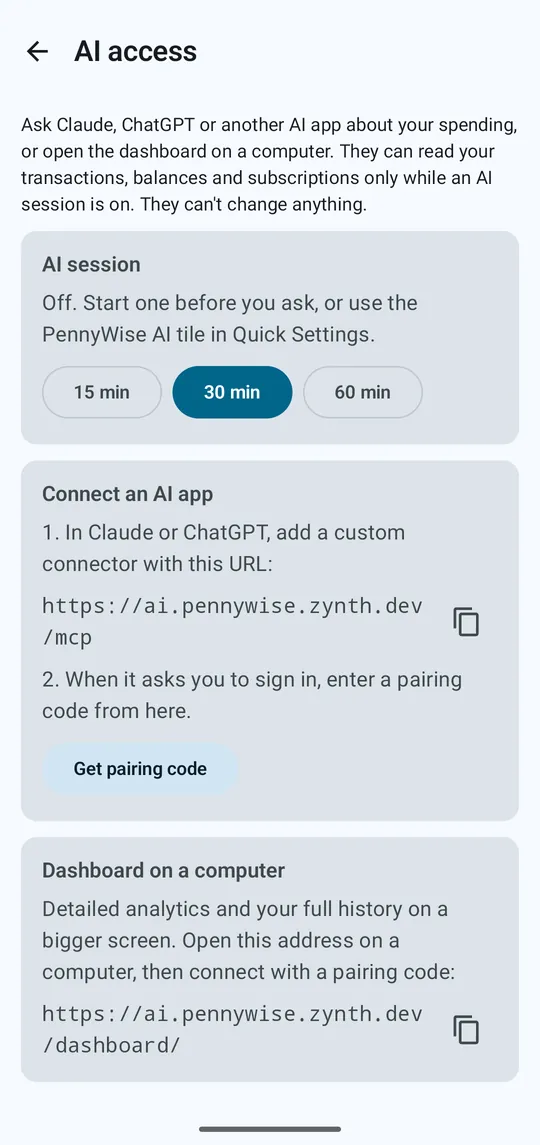
Step 2 of 4
Pick 15, 30 or 60 minutes, or tap the PennyWise AI tile in Quick Settings. AI apps can only read your data while a session is on.
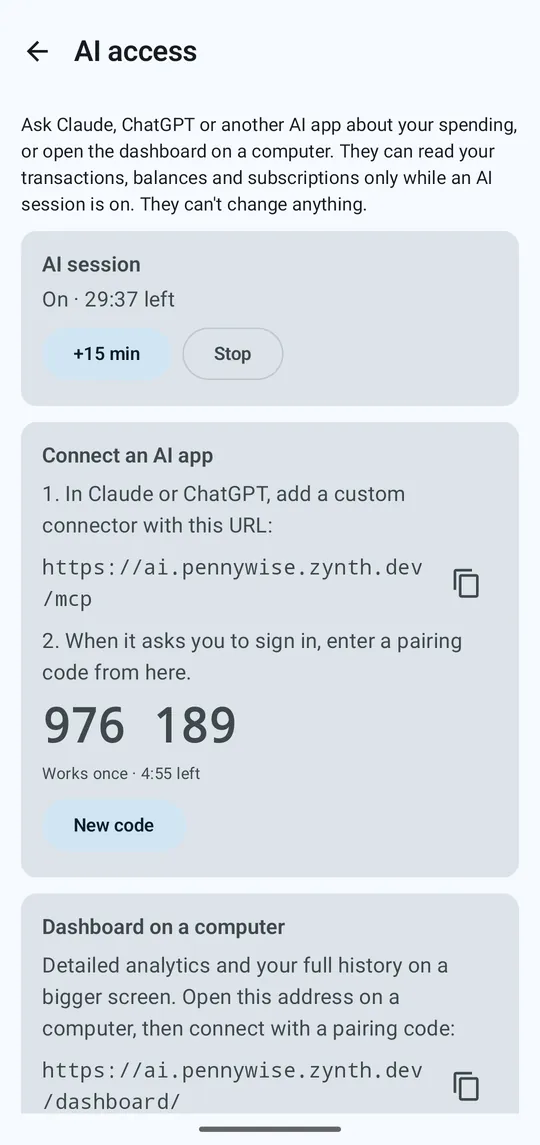
Step 3 of 4
In Claude or ChatGPT, add a custom connector with the URL shown. When it asks you to sign in, tap Get pairing code and enter the 6 digits.
Step 4 of 4
On a computer, open the dashboard address shown, click Connect to my phone and enter a pairing code.
AI access is a Pro feature. F-Droid builds include it for free.
