Use more than one currency

Every amount keeps its currency. Rupees and dollars are never added together.
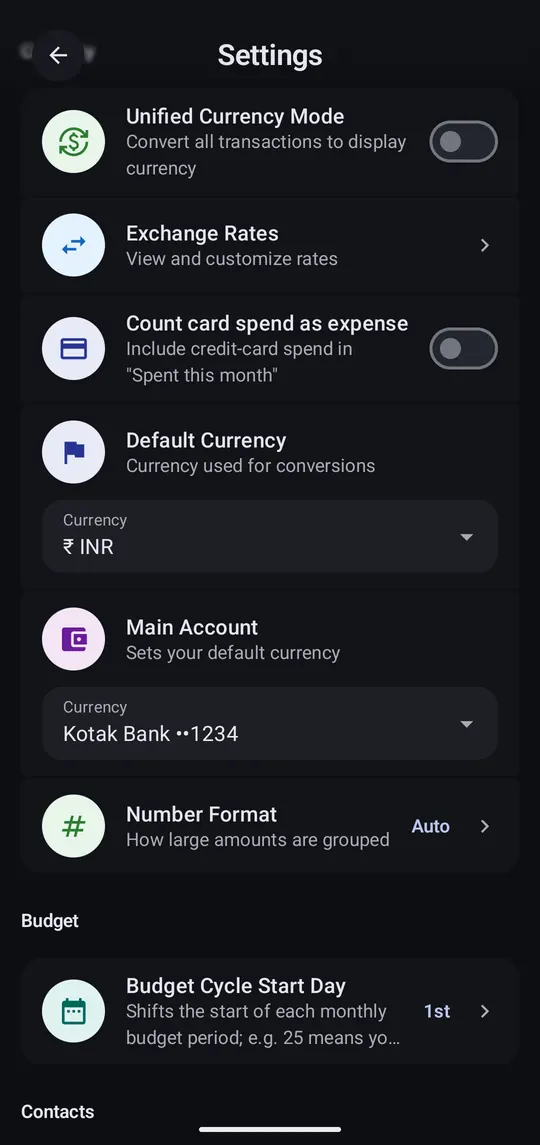
  1. Turn on Unified Currency Mode

    Step 1 of 2

    Turn on Unified Currency Mode

    Settings → Currency. It converts everything into one display currency for combined totals.

  2. Set your own rate

    Step 2 of 2

    Set your own rate

    Exchange Rates update on their own. Tap one to override it.

Good to know

Default Currency
Used for manual entries. Choosing a Main Account sets it too.
Number Format
Indian (1,00,000), international (100,000), or Auto per currency.