Home, the four tabs, and what each button does.
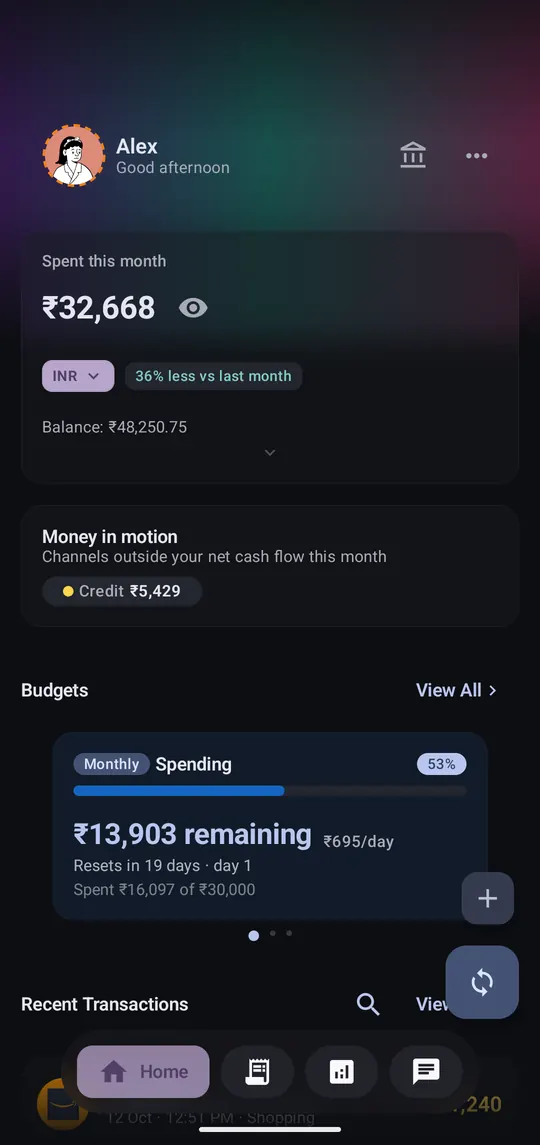
Step 1 of 5
What you've spent this month, your balance and budgets. Tap the eye to hide amounts in public.
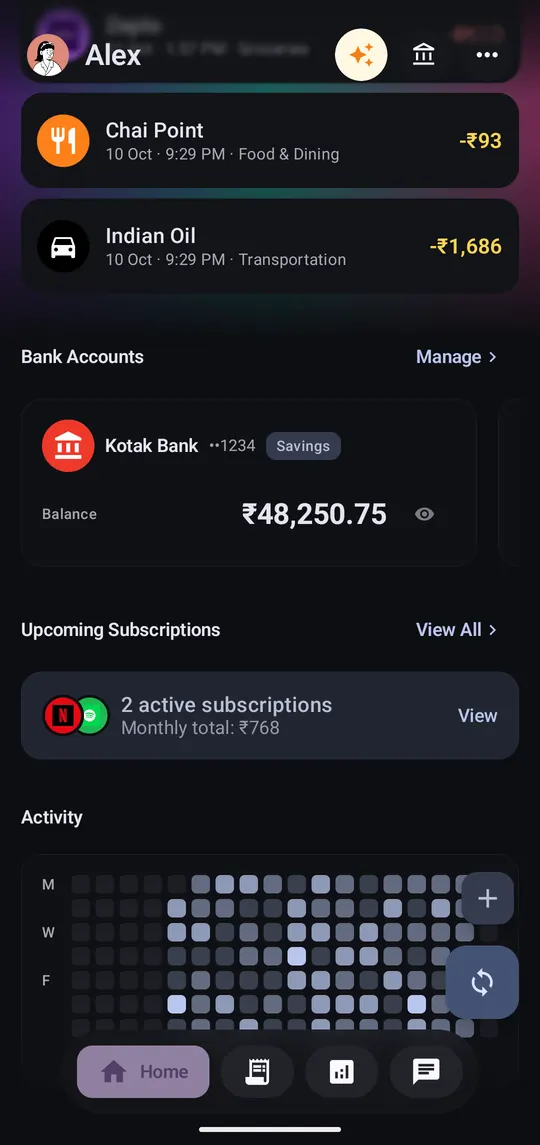
Step 2 of 5
Recent transactions, accounts, upcoming subscriptions and a heatmap of when you spend.

Step 3 of 5
Tap to check for new SMS. Long-press for a full rescan of every message.
Step 4 of 5
⋯ opens Settings, Monthly recap, and Edit home screen to reorder or hide sections.
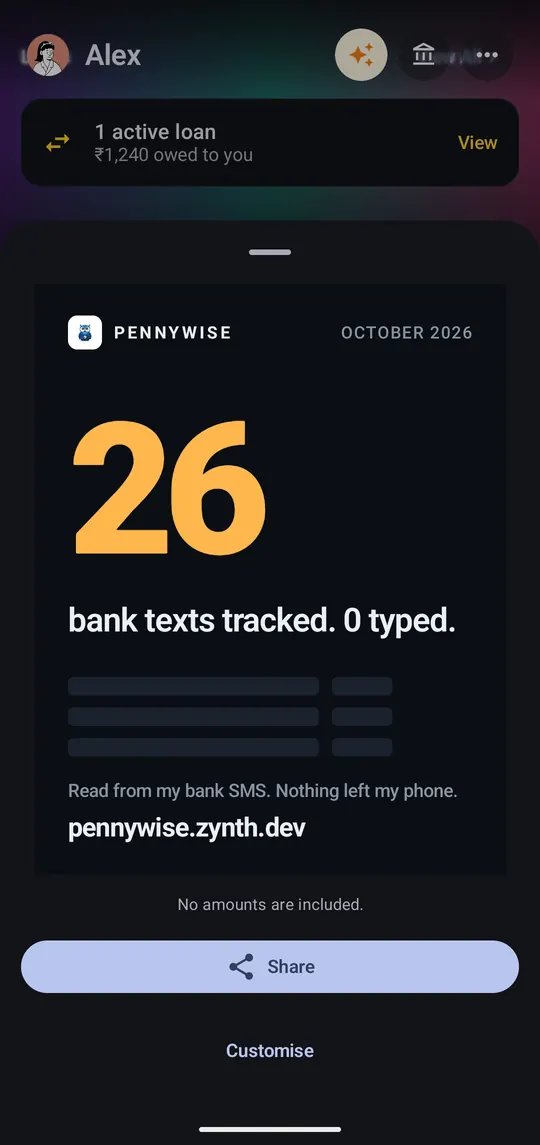
Step 5 of 5
A shareable card of your month. It shows counts, never amounts. Tap Share.
