Netflix, Spotify, rent: see what's due next and the monthly total.
Step 1 of 3
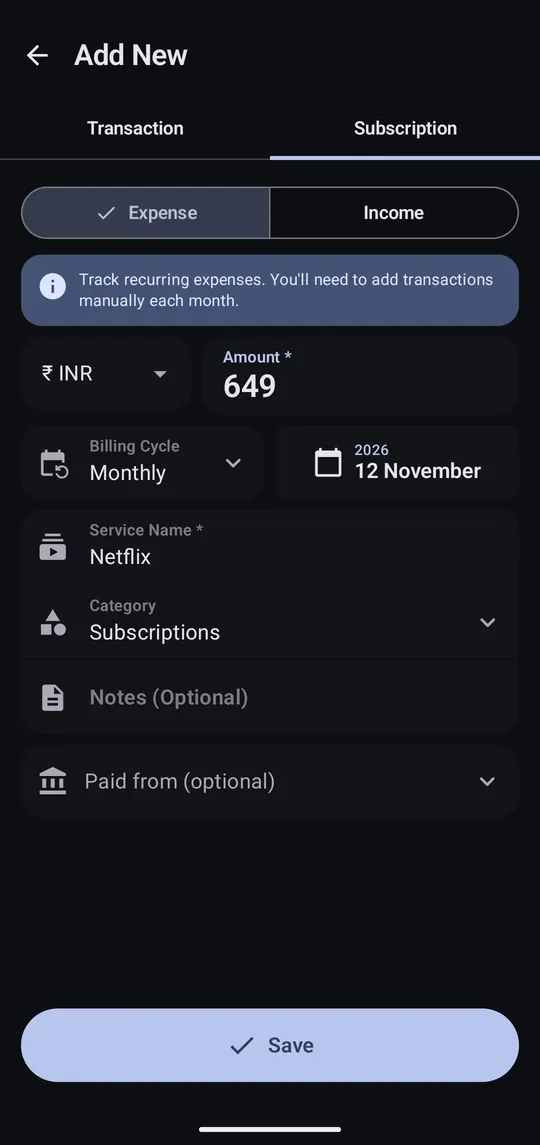
Tap +, switch to the Subscription tab, then enter the service, amount and billing cycle.
Step 2 of 3
It now shows on Home with the next due date.
Step 3 of 3
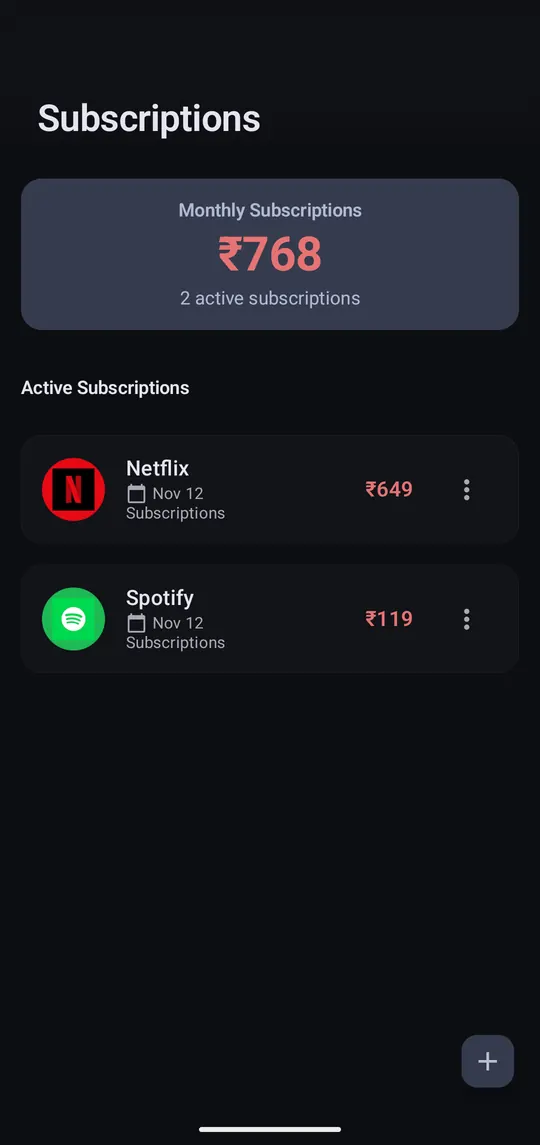
Open Subscriptions from Home. ⋮ on one edits or ends it.
Subscriptions are reminders. The payment itself still comes in from your bank SMS, or add it by hand.
